Occasionally, off-the-wall things strike me funny and sometimes from that comes a design. This is one of those times. From something that struck me funny on an episode of American Dad.
Showing posts with label corel. Show all posts
Showing posts with label corel. Show all posts
Sunday, May 20, 2012


Thursday, November 11, 2010
A Blue Christmas Tree
For the past few weeks I've been quite stuck in holiday mode. I can't seem to get to anything that isn't holiday themed. My favorite element of the holidays is the Christmas tree. I suppose that's why many of my designs are related to the tree.
My latest tree design started out in my head as something quite different than the end result. I had it in my mind to create a Christmas tree from leaves, so I went to my PSP program to the leaf picture tube. After choosing the one that best suited the look I wanted, because I wanted it blue instead of green, I used the colorize option to change it.
I then set about "building" a tree by copying and pasting each leaf, one by one, on a new image.

It had a certain something, but I wasn't entirely happy with it; so off to my Corel Painter 4 program it went where I applied the detailed watercolor auto-painting feature.
After creating a snowy landscape in PSP, I copied the tree and added it, but just couldn't make it work somehow. Ultimately deciding it was the lower edge that was not working, I trimmed it then copied and pasted that onto the background. I added a few little twinkly ornaments to the tree and declared it finished. It's now on several different products in my Zazzle store, including this greeting card.
My latest tree design started out in my head as something quite different than the end result. I had it in my mind to create a Christmas tree from leaves, so I went to my PSP program to the leaf picture tube.
 After choosing the one that best suited the look I wanted, because I wanted it blue instead of green, I used the colorize option to change it.
I then set about "building" a tree by copying and pasting each leaf, one by one, on a new image.

It had a certain something, but I wasn't entirely happy with it; so off to my Corel Painter 4 program it went where I applied the detailed watercolor auto-painting feature.
After creating a snowy landscape in PSP, I copied the tree and added it, but just couldn't make it work somehow. Ultimately deciding it was the lower edge that was not working, I trimmed it then copied and pasted that onto the background. I added a few little twinkly ornaments to the tree and declared it finished. It's now on several different products in my Zazzle store, including this greeting card.
Saturday, October 23, 2010
Harlequin Kitty
 It's true that I'm a bona fide, dyed-in-the-wool cat lover bordering on crazy cat lady. That's why when a friend suggested the notion of a cat dressed as a jester or harlequin, I couldn't resist the idea. It burned in my brain until the next morning when I broke down and started on it. I knew it was going to be a daunting design and, honestly, I wasn't sure my talents were up to the challenge. At this point I have to confess this kitty was strongly influenced by the wonderfully whimsical cats created by the great and glorious Edward Gorey.
I did a basic outline in my Corel painter program with the thick and thin pencil tool starting with the cat's face. It was love at first sight. After that my infatuation with this smiling kitty drove me on. After the basic sketch was done, I began coloring in with the the tapered gouache brush. I like this brush and use it quite a bit because I find it fills better than some of the others and is easier to control. Anyway, on I went filling in each little diamond on his costume by hand. When the painting was finished, I sent it to my PSP program for the tedious task of cleaning up the edges. I then copied the image and added it to a background I had created using some of the stock Paint Shop patterns. At the end my eyes were red and bleary and my back was aching, but I think he was worth the pain. He's now happily dancing on several products in my Zazzle store.

Friday, August 20, 2010
And people try to tell me I shouldn't take naps...
After not having slept well the night before (as usual), I was having an afternoon nap. At some point I woke up with a design in my head. I had to fight to stay asleep as this image kept popping into my head. When I did wake up finally, I couldn't immediately get to my tablet as I had a few things to do. I had to keep "repeating" this image in my head for fear it would be forgotten and lost forever.
After the various chores were finished, I sat down to create my "dream design". I made three simple leaves using the digital airbrush - one in lime green, one in Barbie pink and one in pumpkin orange. Then, with the thick and thin pencil, I added a curved line to represent the twig from which the leaves were growing and a few quick lines for veining on the leaves. When I woke up with that relentless image in my head there was something at the end of the twig, but I have no idea what it was and it seemed superfluous anyway. This was the resulting design: I added it to several items in my Zazzle store. For all but the cloth products, I turned it 90 degrees and added a tone-on-tone beige striped background.

Now I think it may be time for another nap. Ya never know. ;-)
After the various chores were finished, I sat down to create my "dream design". I made three simple leaves using the digital airbrush - one in lime green, one in Barbie pink and one in pumpkin orange. Then, with the thick and thin pencil, I added a curved line to represent the twig from which the leaves were growing and a few quick lines for veining on the leaves. When I woke up with that relentless image in my head there was something at the end of the twig, but I have no idea what it was and it seemed superfluous anyway. This was the resulting design:
 I added it to several items in my Zazzle store. For all but the cloth products, I turned it 90 degrees and added a tone-on-tone beige striped background.
Now I think it may be time for another nap. Ya never know. ;-)
Wednesday, July 28, 2010
Another example of inspiration being where you find it.

While my husband and I waited for our entrees to come at a Chinese restaurant the other night, I noticed how pretty and graceful the lotus flowers were on our plates. I took out my phone and, so as to not look completely weird, discreetly took a picture while pretending to be typing a text.
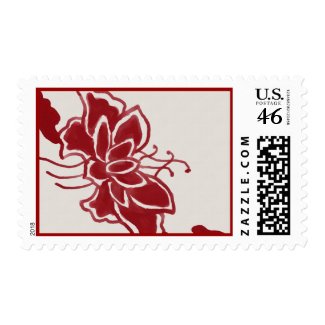
A couple of days later I used one of these flowers as the model for my latest design. I decided on red instead of blue and used the simple watercolor brush in the Corel Painter 4. The resulting image is at left. I only hope I was able to do justice to this beautiful Asian symbol.
Friday, July 16, 2010
Inspired by a fragrance

We inherited our house from my husband's grandmother. It was built in 1903 and it has been in his family since shortly thereafter. It's not anything too grand, but it's solid as a rock and it's all the house we need. In the back yard of our fine old house is a fine old apple tree. It's either a second or third generation grown from a cutting off predecessors that had to be cut down. The apples are mostly green and a little too tart to eat right from the tree, but fantastic for cooking. Granny always called the apples "Maiden's Blush", named for the slight pink tinge they tend to get on the side that gets the most sun. The tree produces so many that we are never able to use even a fraction of them. All summer long our yard smells of fermenting apples and the bees fly around drunk.
This was the inspiration for my latest painting. In the Painter program, I started out with the broad watercolor brush but wasn't crazy about how it was going, so I switched to the new simple watercolor brush. It worked much better for what I was trying to achieve. It has a nice grainy quality that gave the apple a more realistic texture. To be honest, I reached a point when I wasn't sure it was identifiable as an apple - more like a yellowish-green blob. That's when I added the little stem. I think it helped. I've added the finished yellowish-green blob with a stem to several Zazzle items. :-)
Tuesday, July 13, 2010
Okay... so I cheated a little.

Still in my creative slump, I decided to just play around with different tools in the Painter program as I often do when I'm out of ideas. This time I chose the variable size hose using the nasturtiums setting. After trying a few things that I was not happy with, I ended up simply making a single row of the flowers. I then applied the pen and ink auto painting to them, followed by the detailed watercolor auto painting. So it isn't entirely of my creation, but close enough to call it my own. It looks particularly nice on the mug and t-shirt.
Saturday, July 10, 2010
For tree huggers

I've been rather creatively dry for the past few days. When that happens, many times I will just start playing with different brushes in my paint program and eventually something usually transpires. That was the case with this painting of a naive tree. I started with the grainy dry brush. I really like the way it "runs out" of paint at the end of the stroke. (Funny how I don't like when that happens when I'm using real paint.) Anyhoo, that's the brush I used for the outline of the tree and the branches. I then went back to my old standby, the Seurat brush, for the leaves. My love affair with the tablet and painter program continues.
Saturday, June 26, 2010
A little bird just flew in
 Sometimes I worry that the day will come when I finally run out of ideas for designs. Fortunately, yesterday wasn't that day. I had been thinking about doing a design with a bird for a while, but couldn't come up with anything. While I was watching something on t.v. last night I saw a woman wearing a pin that inspired this. In PaintShop I used one of the preset shapes to create the flower. I found a photo of a bird that I liked the shape and position of and used him as my model for painting in Painter 4. After I finished painting him using a watercolor brush, I sent him over to PaintShop where I used the bucket fill tool to add the pattern to his wing. Then, I cut him out and pasted him as a new layer on top of the flower. After a few more adjustments - voila! This button is just one of several things I put him on. The more things I added him to, the more I liked him. I hope other people like him too.
Wednesday, June 23, 2010
The creative process (modern version)

I created this impressionistic image through a process of several steps using a combination of Corel Painter Essentials 4 and Corel PaintShop Pro.
 First, I painted this field and sky using the Seurat brush in Painter 4 (only turned 90 degrees).
Then, in PaintShop I took this old family photo and cut out the lady (g-g-aunt Sue)

and pasted it onto the painting of the field. I painted Sue's features out (sorry, Sue) with the same Seurat brush to create the look of the back of a woman with blond hair. (below) Finally I used the Impressionist auto painting feature to create the ending image. (The one at the top of this post.) Ah, the wonders of modern technology. I wonder what Monet would say?

Saturday, June 12, 2010
A fine old tree by an old brick church

I've done a lot of genealogical research for my family. In the course of doing that research I've been in dozens of cemeteries. The photo that this image came from was taken at one of my very favorite church/cemetery spots. It's an 18th century Lutheran church stuck way back from the beaten path in Wythe County, Virginia, but what actually struck me was the enormous old tree next to the church. It completely dwarfed it. So, I took this shot and it's been sitting in my files until now. In the good old Corel Painter program I did the match palette function with an artist I really like named Dadd. I then used the auto paint function with a fine camel brush. I've added this to several items on Zazzle. I'm just so glad I finally got to do something with the photo of that amazing tree.
Friday, June 11, 2010
Yet another cat creation

Obviously, cats are one of my favorite subjects - especially my own cats. This was done from one of my favorite photos of our kitty, Olivia. In the Corel Painter 4, I used the match palette effect from a Matisse painting, then auto painted it using the impressionist brush. I then went back in and used the soft edge cloner to sharpen her face. (And it's such a good face.) This is the resulting image. I'll be adding it to some Zazzle products within the next few days.
Tuesday, June 8, 2010
More flowers

I've added more florals to my Zazzle store today. This time it's a watercolor painting created from a photo I took of our Clematis vine. I really like the way it turned out on the mug, though.
Sunday, June 6, 2010


Subscribe to:
Posts (Atom)