Showing posts with label leaves. Show all posts

Thursday, November 11, 2010

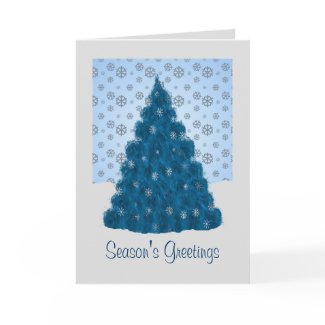
A Blue Christmas Tree

For the past few weeks I've been quite stuck in holiday mode. I can't seem to get to anything that isn't holiday themed. My favorite element of the holidays is the Christmas tree. I suppose that's why many of my designs are related to the tree.
My latest tree design started out in my head as something quite different than the end result. I had it in my mind to create a Christmas tree from leaves, so I went to my PSP program to the leaf picture tube. After choosing the one that best suited the look I wanted, because I wanted it blue instead of green, I used the colorize option to change it.
I then set about "building" a tree by copying and pasting each leaf, one by one, on a new image.


It had a certain something, but I wasn't entirely happy with it; so off to my Corel Painter 4 program it went where I applied the detailed watercolor auto-painting feature.


After creating a snowy landscape in PSP, I copied the tree and added it, but just couldn't make it work somehow. Ultimately deciding it was the lower edge that was not working, I trimmed it then copied and pasted that onto the background. I added a few little twinkly ornaments to the tree and declared it finished. It's now on several different products in my Zazzle store, including this greeting card.
Friday, August 20, 2010

And people try to tell me I shouldn't take naps...

After not having slept well the night before (as usual), I was having an afternoon nap. At some point I woke up with a design in my head. I had to fight to stay asleep as this image kept popping into my head. When I did wake up finally, I couldn't immediately get to my tablet as I had a few things to do. I had to keep "repeating" this image in my head for fear it would be forgotten and lost forever.
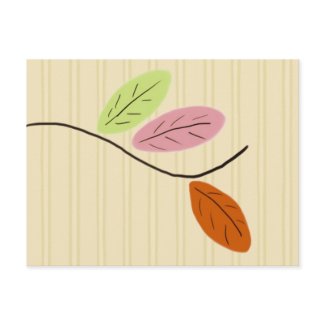
After the various chores were finished, I sat down to create my "dream design". I made three simple leaves using the digital airbrush - one in lime green, one in Barbie pink and one in pumpkin orange. Then, with the thick and thin pencil, I added a curved line to represent the twig from which the leaves were growing and a few quick lines for veining on the leaves. When I woke up with that relentless image in my head there was something at the end of the twig, but I have no idea what it was and it seemed superfluous anyway. This was the resulting design:I added it to several items in my Zazzle store. For all but the cloth products, I turned it 90 degrees and added a tone-on-tone beige striped background.

Now I think it may be time for another nap. Ya never know. ;-)

Saturday, July 10, 2010

For tree huggers


I've been rather creatively dry for the past few days. When that happens, many times I will just start playing with different brushes in my paint program and eventually something usually transpires. That was the case with this painting of a naive tree. I started with the grainy dry brush. I really like the way it "runs out" of paint at the end of the stroke. (Funny how I don't like when that happens when I'm using real paint.) Anyhoo, that's the brush I used for the outline of the tree and the branches. I then went back to my old standby, the Seurat brush, for the leaves. My love affair with the tablet and painter program continues.